
Keyence Scanner Laser Marking Integration
Keyence scanner laser marking integration turns a laser marker from a marking-only tool into an OK/NOK station. The value is not the scanner name alone. The value is the closed loop between marking data, code readability, verification result and the next automation step.
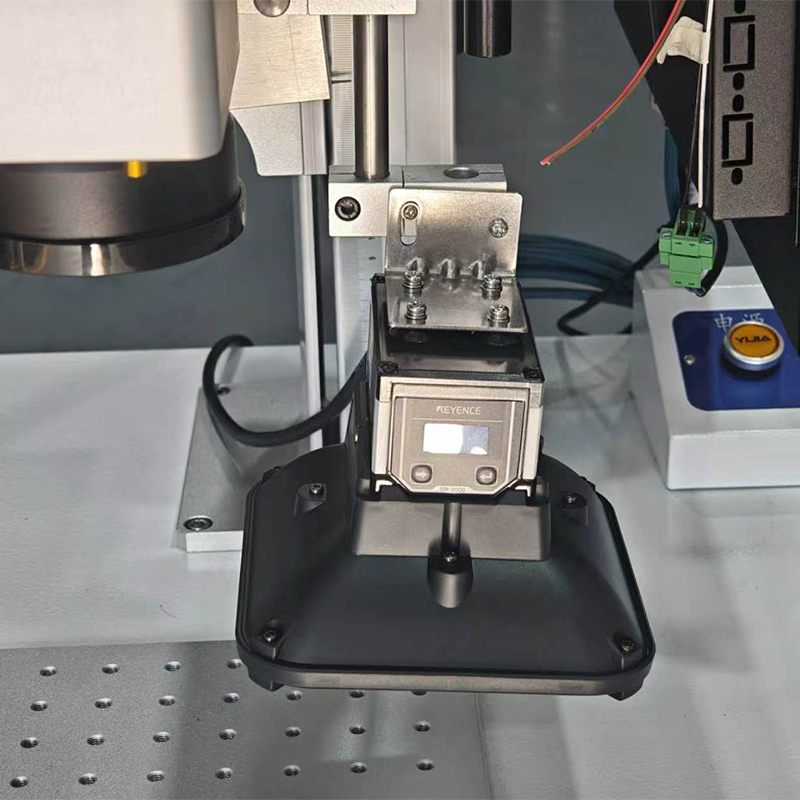
What the OK/NOK station does
In a typical setup, the laser marks a QR code, Data Matrix code, serial number or batch code. The Keyence scanner then reads the marked code at a fixed position. The control system compares the read result with the expected content or configured quality requirement. If the result is acceptable, the station outputs OK. If the code is unreadable, wrong or below the required level, it outputs NOK for rejection, rework or operator review.
Integration points to define before build
- Data input: manual entry, barcode scan, PLC trigger, MES order data or database lookup.
- Mark trigger: foot pedal, fixture clamp, sensor, PLC signal or automatic conveyor stop.
- Read trigger: after laser completion, after fixture confirmation or after part reaches read position.
- Feedback output: tower light, screen message, PLC signal, MES upload or reject mechanism.
- Evidence: log file, scan result, timestamp, code content and operator or station ID.

Why fixture and lighting are part of the solution
A scanner can only verify what it can see. Stable part location, repeatable focus, controlled glare and correct reader distance are essential for reliable output. For metal QR codes, a sample test should include the real part finish and real code size. For production stations, the scanner bracket and laser fixture should be designed together so the mark position and read position stay consistent.
The CNMarking scanner-integrated MOPA fiber laser marking machine supports a practical workflow for buyers who need code reading or grading after marking. It can be configured with Keyence, HIK Robotic / HIK Vision or Zebra scanner options and can send Good / No good results to MES or a production-line PLC.
Related CNMarking resources
- mopa fiber laser marking machine keyence scanner qr code grading
- the ultimate guide to laser marking qr codes
- contact us
For Keyence scanner laser marking integration, prepare the data-flow requirement, sample part and pass/fail rule first. CNMarking can then recommend the scanner position, fixture concept and laser parameters for a realistic automated marking station.