
Contact Us
How to Achieve High-Contrast Black Laser Marking on Stainless Steel
Stainless steel is widely used in automotive components, medical instruments, electronic parts, and industrial equipment. In many applications, manufacturers need permanent identification marks, such as logos, serial numbers, QR codes, and product specifications.
Black laser marking is a popular choice because it produces clear, high-contrast marks without necessarily creating deep grooves in the material. However, achieving a consistent black finish is not simply a matter of increasing laser power or slowing down the marking speed. The result depends on the interaction between laser parameters, material properties, and surface conditions.
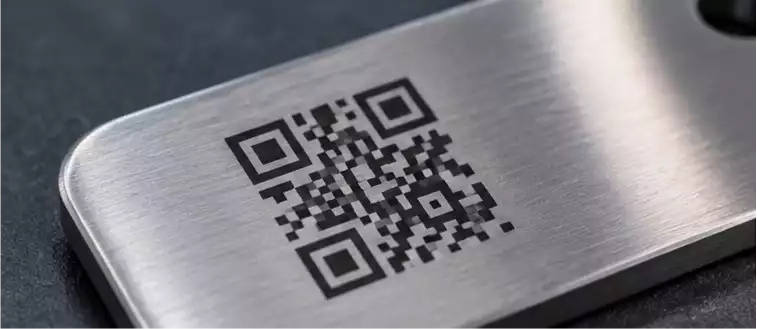
Black Marking vs. Deep Engraving on Stainless Steel
Before adjusting the machine, it is important to understand the difference between black annealing and deep engraving.

Black laser marking on stainless steel generally involves controlled heating that forms a thin oxide layer on the material surface. This layer changes how the surface reflects light, producing a dark appearance. When properly controlled, the process can create black marks while keeping the original surface relatively smooth.
Deep engraving works differently. The laser removes material to create recessed characters or patterns. Although it can produce permanent identification, it does not necessarily result in a black finish.
For applications requiring readable serial numbers, logos, or small QR codes, black annealing may be preferable because it maintains a relatively flat surface. Deep engraving is more suitable when physical depth is required.
What Affects Black Laser Marking Quality?
Several factors determine whether a black mark appears dark, uniform, and clearly defined.
1. Laser Power and Marking Speed
Power and speed determine how much energy is delivered to a specific area. If the energy input is too low, the surface may develop a light gray or uneven appearance. Excessive energy, on the other hand, can cause unwanted material removal, surface damage, or excessive heat accumulation.
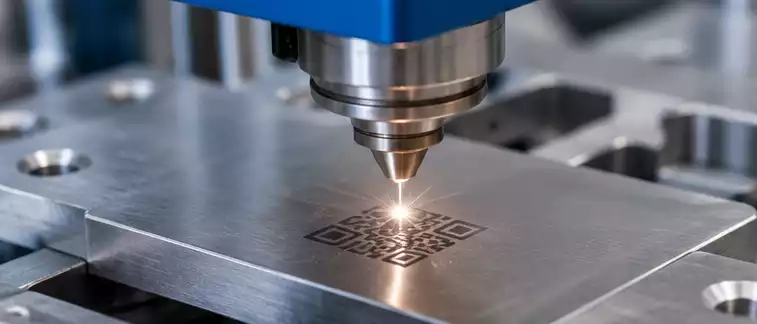
The goal is to find a suitable balance rather than simply maximizing power.
2. Frequency and Pulse Width
For pulsed fiber lasers, frequency and pulse width influence how energy is distributed during processing.
Higher frequency does not automatically produce darker marks. Depending on the laser source and pulse characteristics, it may change heat accumulation and the interaction between successive pulses.
MOPA fiber lasers offer additional flexibility in pulse-width adjustment, making them useful for applications that require precise control over surface appearance. The actual result still needs to be verified on the target stainless steel.
3. Focus Position and Scanning Strategy
The focal position affects spot size and energy density. Some applications benefit from slight defocusing to distribute energy over a wider area, but excessive defocusing can reduce marking clarity.
Hatch spacing, scan direction, and the number of passes also influence surface coverage. Incorrect spacing may leave visible gaps or produce inconsistent color across the marked area.
4. Material Grade and Surface Finish
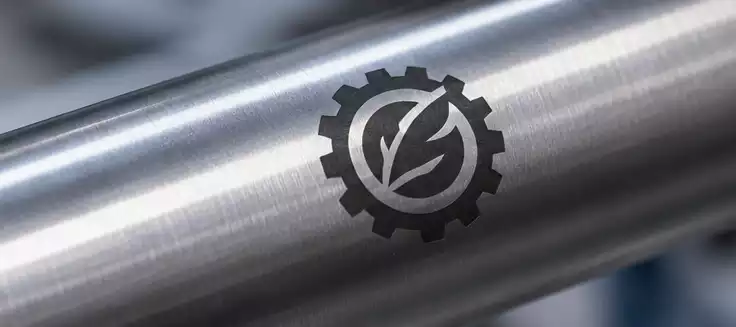
Different stainless steel grades and surface conditions can respond differently to the same laser settings.
For example, polished, brushed, and mirror-finished stainless steel surfaces have different optical characteristics. Surface contamination, protective coatings, and previous treatments can also affect marking consistency.
Testing on the actual workpiece is therefore more reliable than applying parameters taken from another material or machine.
How to Improve Contrast in Stainless Steel Laser Marking
When black marks appear too light or inconsistent, a systematic testing process is more effective than changing several settings simultaneously.
- Prepare the surface: Remove oil, dust, fingerprints, and other contaminants before marking. Make sure the workpiece is clean and dry.
- Test power and speed: Create a small parameter matrix using different power and speed combinations. Compare the darkness and uniformity of each result.
- Adjust frequency and pulse width: If the laser supports these adjustments, test different combinations to find a suitable thermal interaction.
- Check the focal position: Start with the recommended focal position, then test small adjustments if the marking result requires improvement.
- Optimize hatch spacing and passes: Check whether the marked area is evenly covered without unnecessary heat accumulation.
Record the settings and results for each test. This makes it easier to reproduce a successful marking process when production moves from sample testing to batch processing.
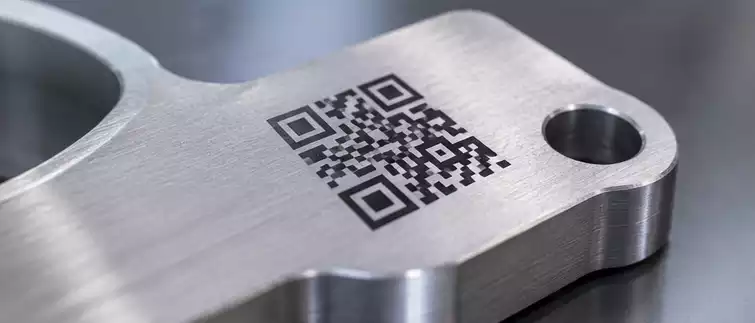
Common Problems and How to Fix Them
| Marking problem | Possible cause | What to check |
| Light gray instead of black | Unsuitable energy input | Test power, speed, and pulse settings |
| Uneven black color | Surface contamination or inconsistent scanning | Check surface preparation and hatch spacing |
| Blurred edges | Incorrect focus or excessive heat | Check focal position and scanning conditions |
| Surface grooves or damage | Excessive energy input | Reduce heat input and verify the marking process |
| Inconsistent results between batches | Material or machine variations | Check material finish, focus, and machine calibration |
Changing one variable at a time helps identify the actual cause and avoids introducing additional problems.
Choosing the Right Fiber Laser for Stainless Steel Marking
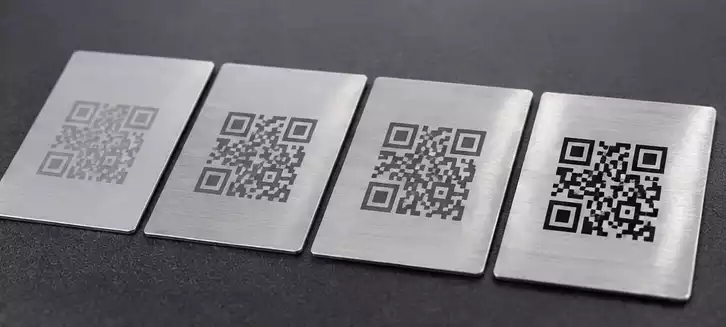
Both standard pulsed fiber lasers and MOPA fiber lasers can be used for stainless steel marking, but their capabilities differ.
A standard pulsed fiber laser is suitable for many industrial marking applications, including serial numbers, logos, and general metal identification. A MOPA fiber laser provides greater flexibility in pulse-width adjustment, which can be beneficial when controlling surface color and marking appearance is important.
The right choice depends on the required contrast, marking speed, material condition, and production volume. Before purchasing equipment for a specific black-marking application, manufacturers should request sample tests using their actual stainless steel parts.
Consistent black laser marking comes from understanding the material and controlling the process. By evaluating laser parameters, surface conditions, and scanning strategies together, manufacturers can achieve clearer identification marks while maintaining the required surface quality.